1. Use the form your crew knows
Start with an existing FLHA document or a photograph of the paper form. The homepage demo shows the paper-to-mobile conversion.
Move pre-task hazard assessment paperwork into a reviewed mobile workflow. Strawboss demonstrates turning a handwritten FLHA into a live form and supports reviewing the worksite records behind your hazard planning.
A short narrated walkthrough recorded in Strawboss with sample company data. Captions are on screen, so it works with the sound off.
A field level hazard assessment (FLHA) records the hazards and controls for the work ahead. A job hazard analysis (JHA), also commonly called a job safety analysis (JSA), examines task steps and their risks. Digitizing the paperwork should help the crew record that review; it should not substitute for examining the actual jobsite.
Watch the recorded product demos →
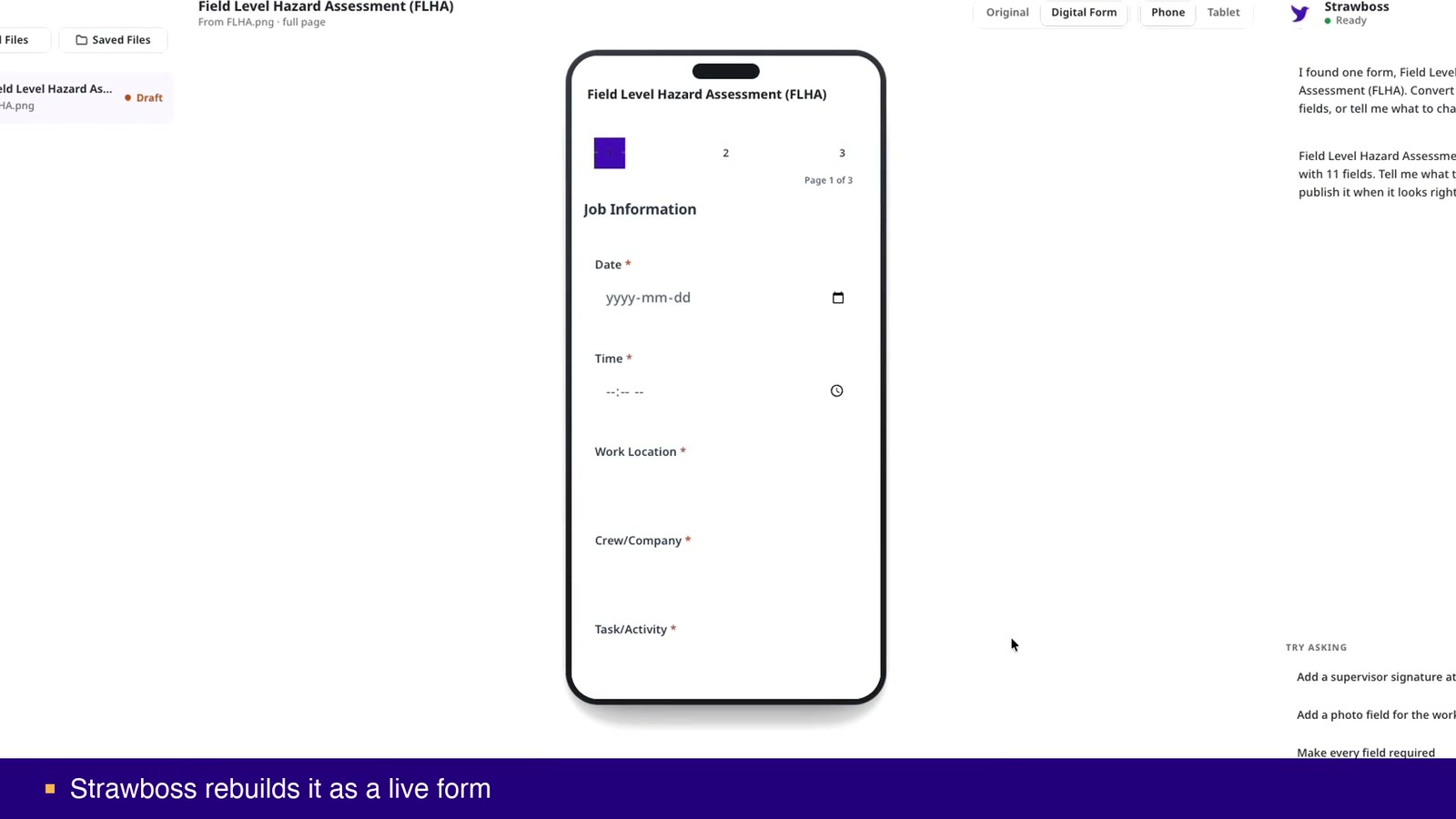
Start with an existing FLHA document or a photograph of the paper form. The homepage demo shows the paper-to-mobile conversion.
Review the generated fields and instructions. Responsible people should check that the form captures the information needed for the task.
Complete the form on a phone or tablet. Try Voice Fill where supported and check whether workers can record the answers clearly.
Use source records and approved company material when reviewing hazard documents. Check any AI-assisted draft against current site conditions and the responsible person’s assessment.
A field level hazard assessment (FLHA) is the quick check a crew does before starting a task. A job hazard analysis (JHA) is the deeper breakdown of a task, done ahead of time. They're related, but they aren't interchangeable, and treating them as one document tends to weaken both.
Safety audits usually treat the field-level assessment and the formal hazard assessment as separate things. In Canada’s COR program, for example, they are scored separately. An FLHA does not substitute for the formal assessment. See the COR audit preparation guide.
FLHAs lose their value in two ways. One is when the card becomes something a crew fills in because it's required, without the conversation it was meant to prompt. The other is when the card is treated mainly as a record to check after something has gone wrong. I've written about this in Canadian Occupational Safety. What keeps FLHAs useful is fairly simple: short forms, hazard prompts that fit the trade, and a supervisor who responds when a hazard is raised.
General information, not legal advice. Confirm requirements against the current legislation and regulator guidance.
Neither BC nor Alberta regulation names the FLHA form. Both require hazards to be identified and controlled. Alberta's Code requires a written hazard assessment before work begins. Many employers and prime contractors require FLHAs as their method.
An FLHA is a quick crew check at the work location for the day's conditions. A JHA is a task-level analysis prepared in advance, breaking a job into steps, hazards and controls.
Before each task or shift, and again when conditions or the task change. Your safety program should state the frequency.
Usually not. Audit programs such as COR in Canada score them as separate questions.
AI can suggest hazards from the task description, but the crew doing the work must check and own the assessment.
FLHA stands for field level hazard assessment. It is used to record a review of task and site hazards and the controls needed before work begins.
JHA means job hazard analysis; JSA means job safety analysis. Both are commonly used for reviewing task steps, hazards, and controls. Use your organization’s terminology and requirements.
The walkthrough at the top of this page shows a paper FLHA becoming a mobile form. Review the resulting questions and test the form with your crew before relying on it.
No. The form and any AI-assisted draft require human review. The crew and responsible people still need to assess the actual conditions and controls.
Digital safety forms, Construction safety software, Safety inspections, COR audit evidence.
Review the field experience, source records, and output with the people who will use them. See current pricing and trial details, or review the published security controls.
Test the form with your crew, review the resulting records, and confirm the workflow before wider rollout.